Inpatient EHR — Clinical Assessment and Notes
Clinical Assessment is the doctor's ward-round note for an inpatient. Each assessment is a structured encounter record that can carry a clinical narrative, diagnoses, medications, investigations, images, and procedures. Multiple assessments can be created for a single admission — one per ward round or clinical event.
Page (new/edit): Admission Profile → Clinical Data → Clinical Notes → New Assessment
Page (list): Admission Profile → Clinical Data → Clinical Notes
XHTML: /inward/inward_clinical_assessment.xhtml (new/edit), /inward/inward_clinical_assessment_list.xhtml (list)
Controller: InpatientClinicalDataController.saveClinicalAssessment()
Privilege: InpatientClinicalAssessment
Assessment Form
The assessment form is tabbed. Tabs visible depending on what has been entered:
Clinical Notes Tab
- Free-text notes area — the main clinical narrative. Supports abbreviation-aware autocomplete: when the cursor is after
Hx:, completions are drawn from history terms; afterEx:, from examination terms; afterIx:, from investigation terms; afterRx:, from treatment terms. - Height, Weight — recorded and BMI is auto-calculated
- Blood Pressure, Pulse Rate, Respiratory Rate, SpO₂, Temperature — vital signs
- Diagnoses — structured diagnosis items (linked to the item master)
- Procedures — procedures performed during this encounter
Diagnoses and Procedures Tabs
- Choose a diagnosis or procedure, type any details, and click +. A message confirms it was added and it appears in the table below.
- You can add them while creating a new assessment. The first one you add saves the assessment, so there is no need to click Save first.
- Click (X) next to an entry to remove it. Removed entries no longer appear when the assessment is viewed or edited again.
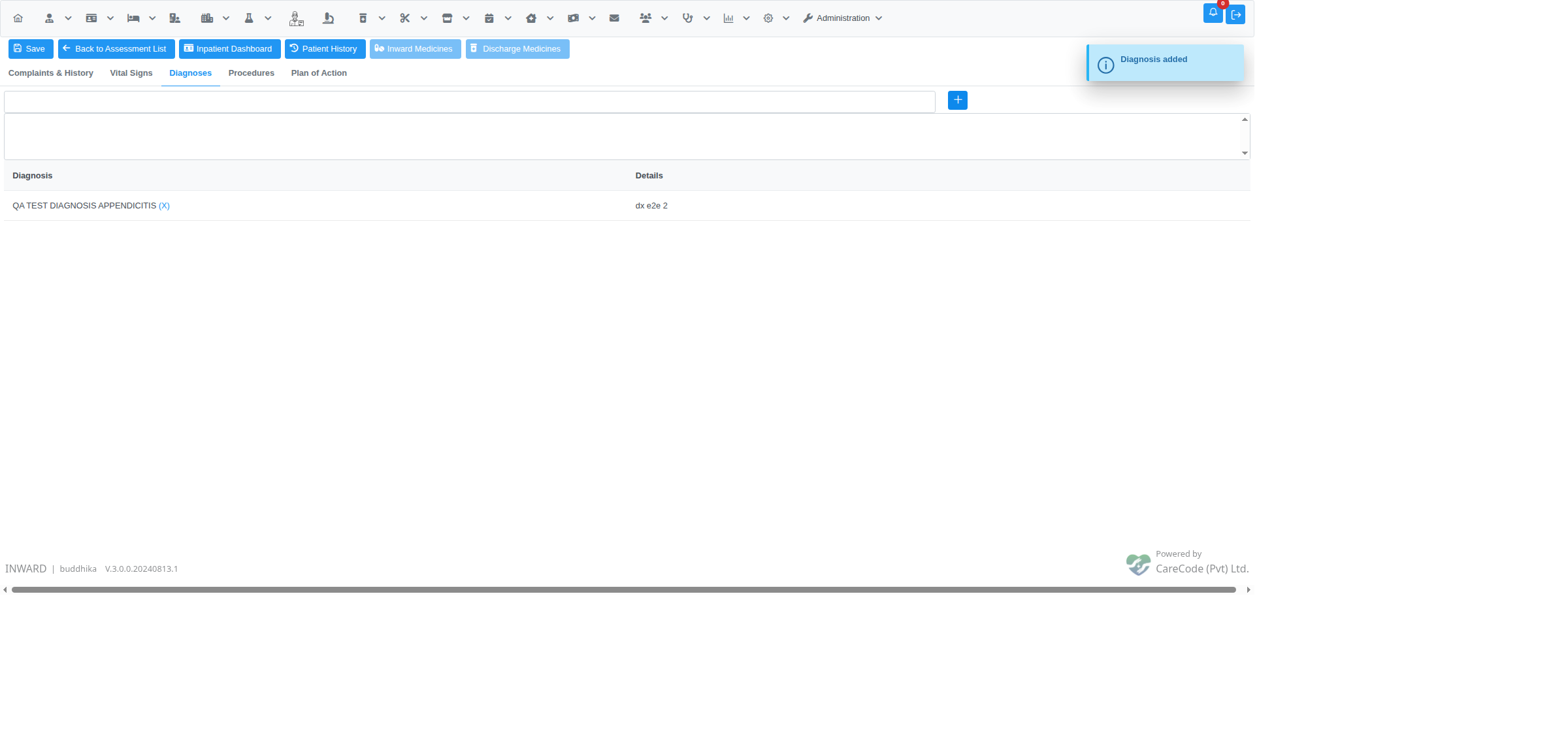
A diagnosis added to a new assessment before clicking Save.
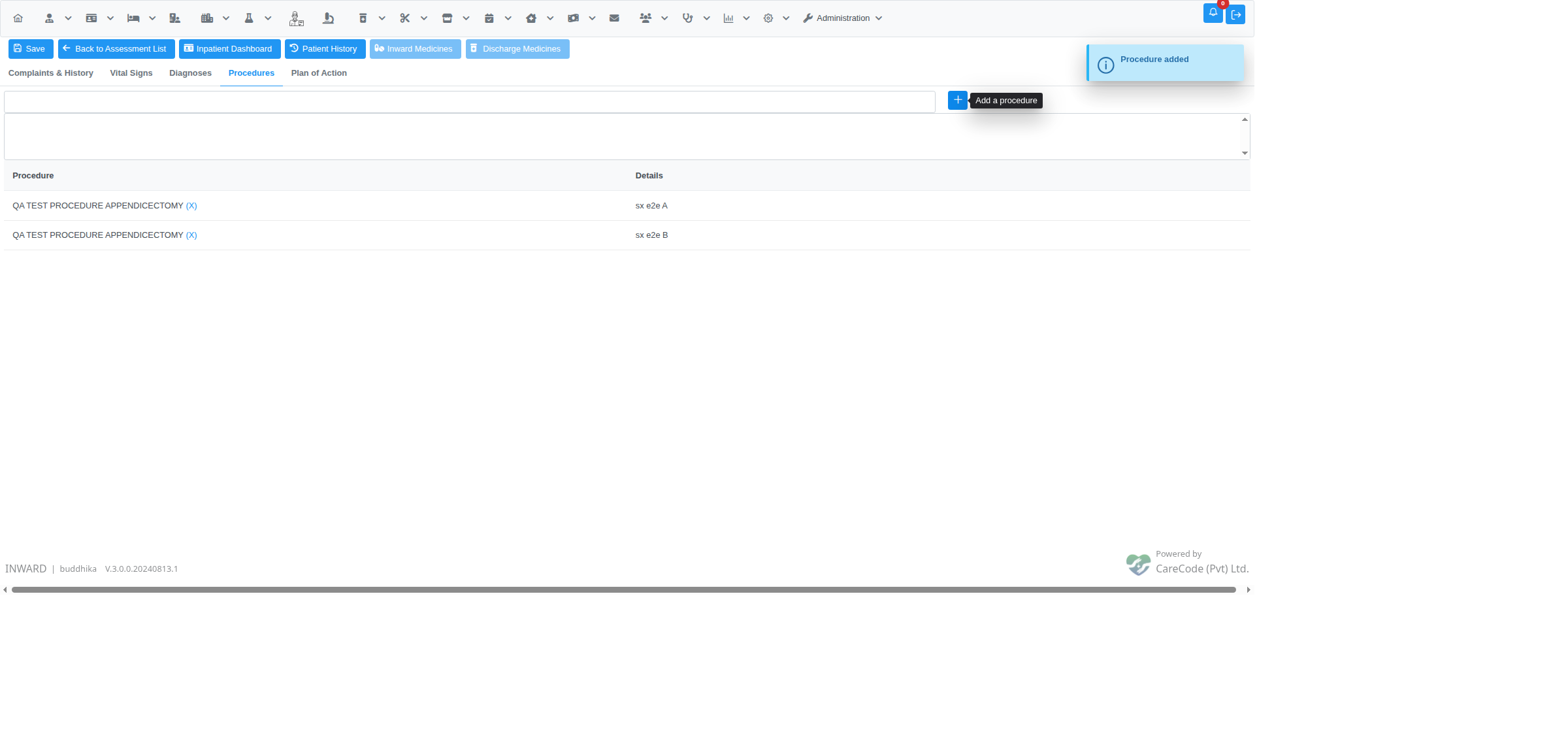
Procedures tab after adding two procedures. The "Procedure added" message confirms each one.
Medicines Tab (Ward Medications)
Available after saving the assessment. Add ward medications linked to this specific encounter. See also Inpatient EHR — Ward Medications for admission-wide ward medications.
Discharge Medicines Tab
Available after saving the assessment. Add take-home prescriptions. See Inpatient EHR — Discharge Medications.
Assessment List
The list page (inward_clinical_assessment_list.xhtml) shows all assessments for the current BHT in reverse chronological order. Each row shows:
- Assessment date and time
- Clinician name
- Summary of diagnoses
- Actions: View, Edit (if not view-only)
Past assessments can be viewed but not edited if the viewOnly flag is set.
Templates
The assessment form supports Document Templates — pre-defined text templates that can be loaded and modified. Templates are managed by the DocumentTemplateController and are type DocumentTemplateType records. Selecting a template pre-fills the notes area with the template text, which the clinician then personalises.
Navigation
From the assessment page, the following navigation is available:
- Save — save the assessment (disabled in view-only mode; requires
InpatientClinicalAssessment) - Back to Assessment List — return to the assessment list for this BHT
- Inpatient Dashboard — return to the Admission Profile
- Patient History — open the patient's full OPD clinical history
- Inward Medicines — navigate to the ward medications page for this encounter (disabled until the assessment is saved)
- Discharge Medicines — navigate to the discharge medications page (disabled until the assessment is saved)
Related Articles
- Inpatient EHR — Overview — full EHR section list
- Inpatient EHR — Ward Medications — inpatient prescriptions
- Inpatient EHR — Discharge Medications — take-home prescriptions
- Inpatient Admission Profile (Dashboard) — dashboard entry point